Your family's day, on the wall.
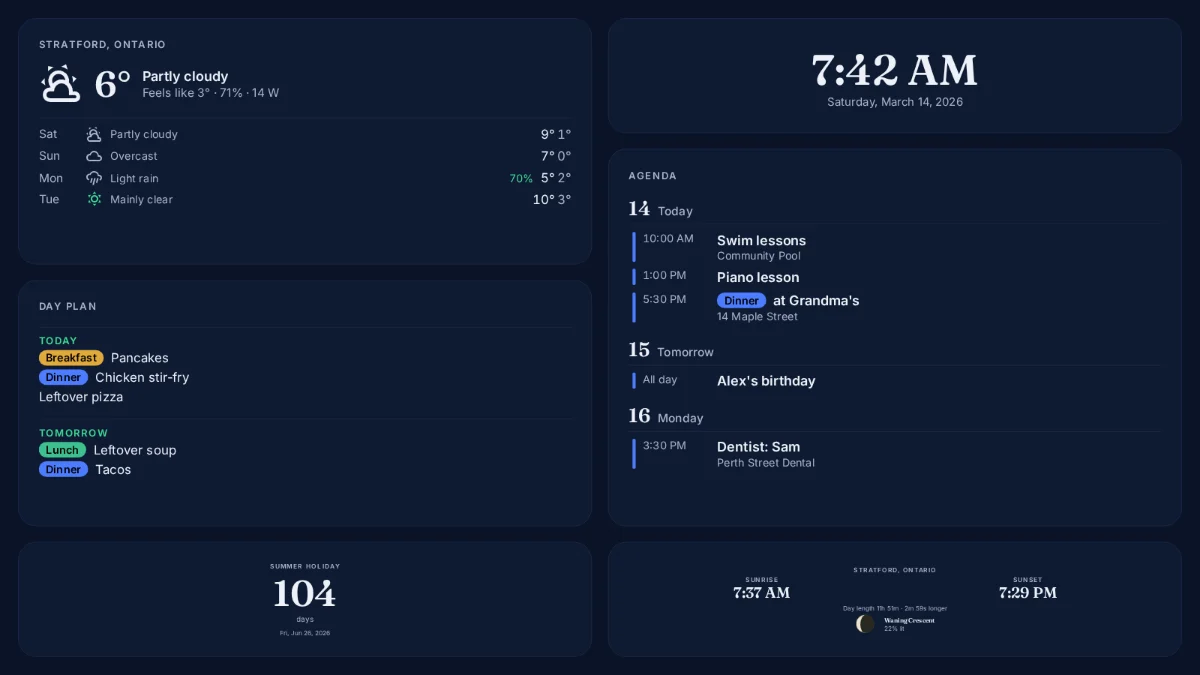
FamHomeBase shows the calendar, the meal plan, the weather and the clock on a screen at home. You set it up from your phone, and it updates by itself.
 Start your free 14 days See how it works
No card needed to start. Works with a Raspberry Pi and any TV or screen.
The things your family checks all day, in one place.
-
Calendar agenda
Everyone's events from Google Calendar, together, so nobody asks what's on today.
-
Meal plan
What's for dinner, laid out for the week from your own calendar.
-
Weather and alerts
The forecast for where you live, with warnings when there are any.
-
Clock and countdowns
The time, a countdown to the big day, and the sun and the moon.
Three steps, all from your phone.
-
Create your account
Sign up with your email. No card, and your 14 days start when you pair your first screen.
-
Build your display
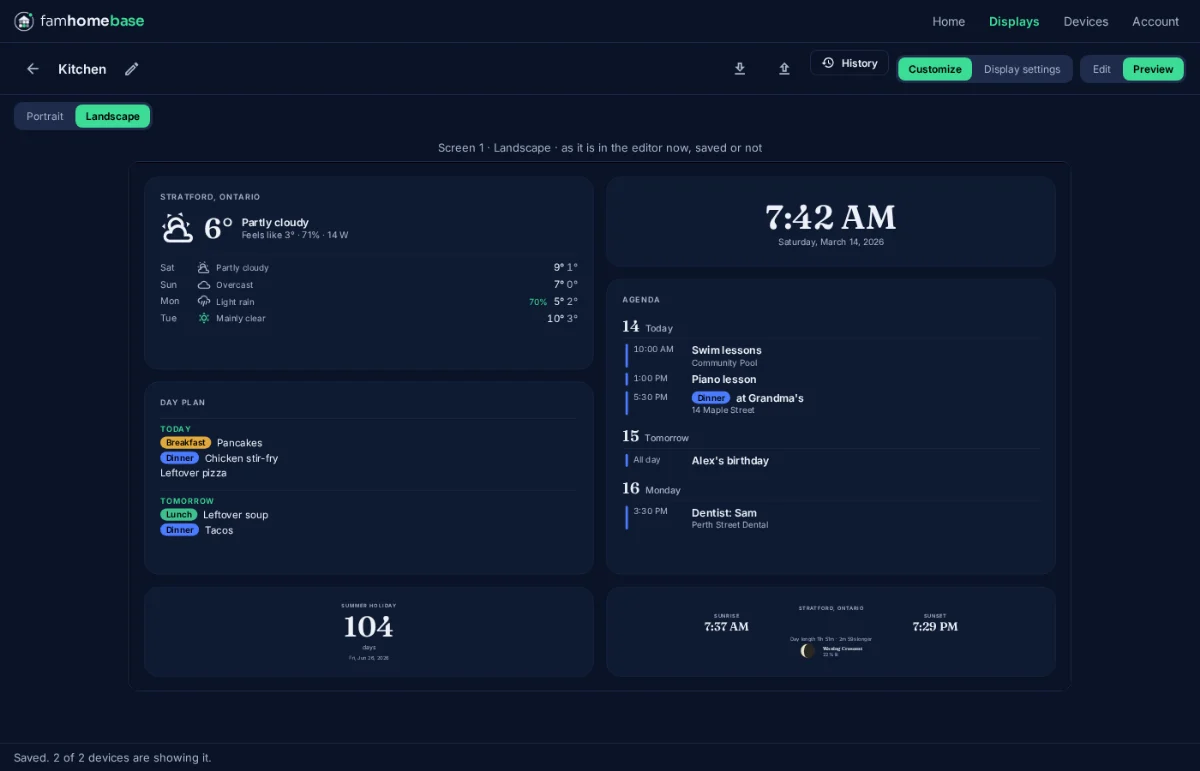
Choose what goes where, pick a look, and see it as it will appear on the wall.
-
Pair a screen
The screen shows a code. Scan it with your phone, and your layout appears in seconds.
Edit on your phone. The wall follows.
Save a change and the screens at home update in a moment. Go back to any of your last 20 saves if you change your mind, and the wall keeps showing what it had if the internet goes down.
- Up to three screens can show the same display
- Dim the screen at night, with its own time zone
- Your calendars are read, never changed
Try it free for 14 days.
No card. Your trial starts when you pair your first screen.
Create your account  FamHomeBase